Viewing spreadsheet information
View spreadsheet information
To access the information about the currently edited spreadsheet:
- Tap the
 Tools icon in the right corner of the top toolbar.
 - Select the
 Spreadsheet Info menu item.
The spreadsheet information includes the following details:
- Title — the file name.
- Date — the date the file was created.
- Author — the name of the user who created the file.
- Last modified — the date the file was last modified.
- Last modified by — the name of the user who last modified the file.
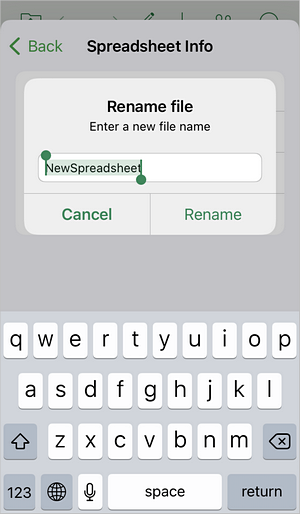
To rename the file, tap the Title field and enter the new name, then tap OK.
Help and feedback
Below the Spreadsheet Info menu item, you can also tap  Help and feedback to access the following options:
- Suggest a feature — share an idea for improving the app.
- Contact support — get in touch with the support team.
- Help center — open the ONLYOFFICE help center.
About
Tap the  About menu item to view information about the application name, version number, and license information.
Article with the tag:
Browse all tags