Managing existing sheets
Move sheets
To move an existing sheet, tap and hold the sheet tab you want to move, then drag it to its new position.
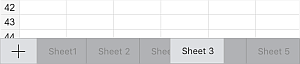
To reorder the sheets, tap the hamburger menu icon on the bottom toolbar, then tap and hold the sheet in the list and drag it to its new position.
Rename sheets
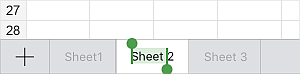
To rename an existing sheet, double-tap the sheet tab. The sheet name will be selected. Drag the selection handles to choose the part you want to change, type the new name, and tap Return on the on-screen keyboard.
Hide or unhide sheets
If you have a lot of sheets, you can hide the ones you don't need at the moment to keep your workspace clean. Tap and hold the sheet tab you want to hide until the pop-up menu appears, then tap Hide.
To display a hidden sheet again, tap and hold any sheet tab until the pop-up menu appears, then tap the Unhide... menu item. From the submenu, select the sheet you want to display.
Duplicate sheets
To duplicate an existing sheet, tap and hold the sheet tab until the pop-up menu appears, then tap Duplicate.
Protect sheets
To restrict changes to a sheet, tap and hold the sheet tab until the pop-up menu appears, then tap Protect. For more details on protection options, refer to the Protect spreadsheets with a password article.
Change tab colors
To make sheets easier to tell apart, you can assign different colors to their tabs. Tap and hold the sheet tab until the pop-up menu appears, tap the  arrow, then tap Tab color. In the Tab color panel, choose a color from Theme colors or Standard colors, or create your own Custom color. To remove the color, tap No filling.
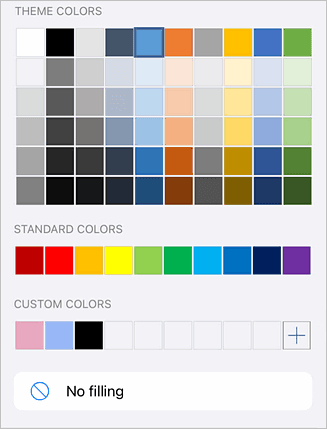
To add a new Custom color:
- Tap the
 icon in the Custom colors section.
 - Using the color palette, pick the color and select its hue level.
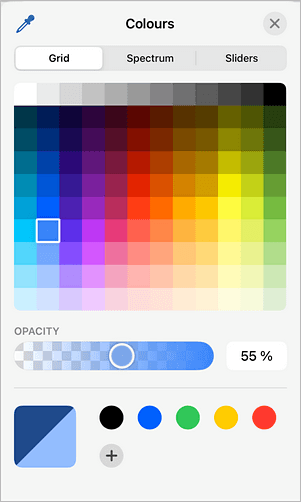
- Tap OK to apply the color to the sheet tab. The new color will also be saved in the Custom colors section, where recently used custom colors are stored.
Calculate sheet
To recalculate all formulas on the active sheet, tap and hold the sheet tab until the pop-up menu appears, tap the arrow, then tap Calculate sheet.