Change slide layout
To customize your presentation, you can change the slide layout for each separate slide. To change a slide layout:
- in the slide list on the left, tap the slide you want to apply a new layout to,
- open the slide settings panel by
- tapping the
 icon at the top toolbar, or
 - tapping the Edit option in the pop-up menu,
- tapping the
- tap the Layout menu item,
- select the necessary layout (swipe up to see more layouts),
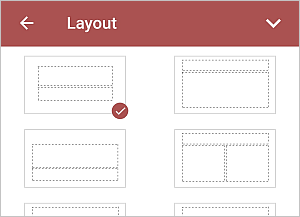
Note: currently, the following layouts are available: Title Slide, Title and Content, Section Header, Two Content, Comparison, Title Only, Blank, Content with Caption, Picture with Caption, Title and Vertical Text, Vertical Title and Text.
- close the slide settings panel by tapping the
 arrow on the right.
Teach your robot to read
Article with the tag:
Browse all tags