Change paragraph indents
To change the first line offset from the left part of the page,
- put the cursor within the paragraph you need, or select several paragraphs or the whole text,
- open the text and paragraph settings panel by
- tapping the
 icon at the top or bottom toolbar, or
 - tapping the option in the pop-up menu,
- tapping the
- on the Text tab, swipe up to see all the settings,
- use the respective icons: Decrease Indent
 and Increase Indent
  ,
,
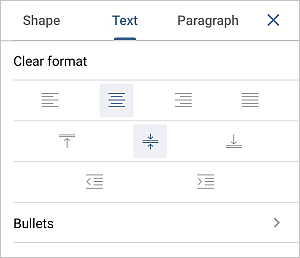
To clear applied formatting, you can use the Clear format option.
- close the text settings panel by tapping the
 arrow on the right.
Article with the tag:
Browse all tags