ZIP Archives: opening and extracting ZIP archives
ONLYOFFICE DocSpace provides you with a zip-archives plugin that can open and extract ZIP archives directly in DocSpace.
Configuring Zip Archives
In ONLYOFFICE DocSpace, system plugins can be enabled by the owner and administrators. Once enabled, the plugins are available to all users.
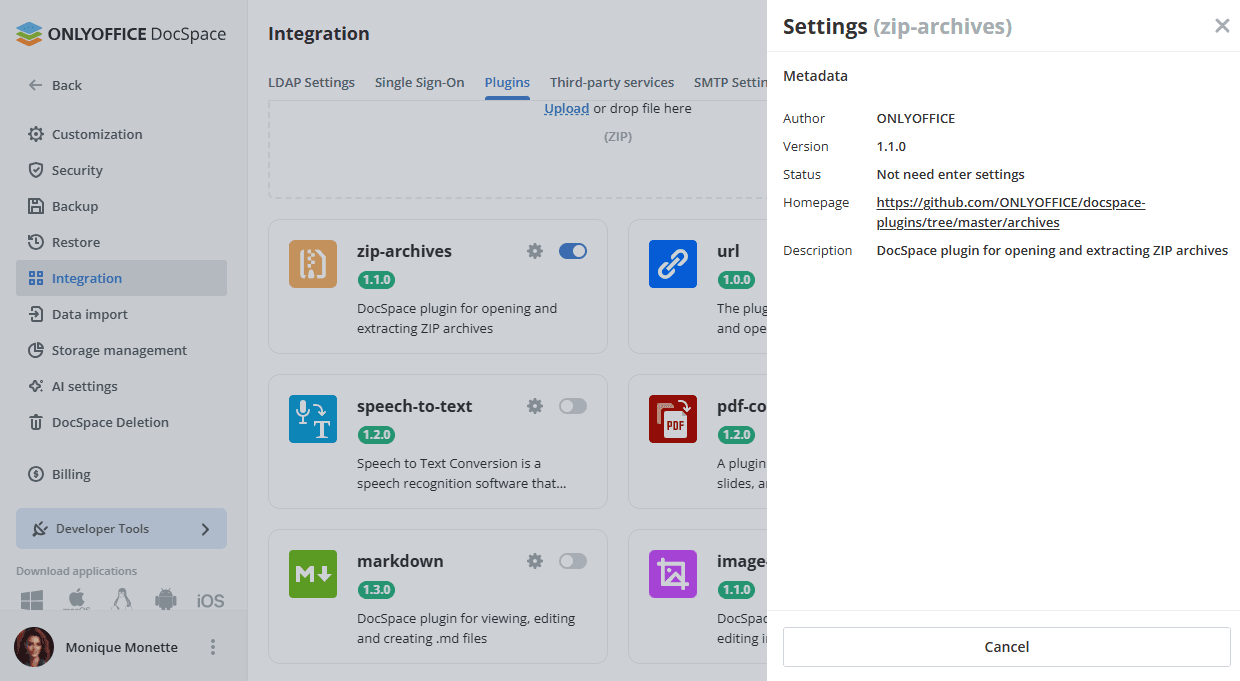
- Go to the DocSpace Settings -> Integration -> Plugins.
- Click the toggle next to the zip-archives plugin to activate it.
To start working with the plugin, it is not needed to change the default settings. To view the plugin metadata, click on the gear symbol next to the zip-archives plugin.
Using Zip Archives
Opening and extracting ZIP archives
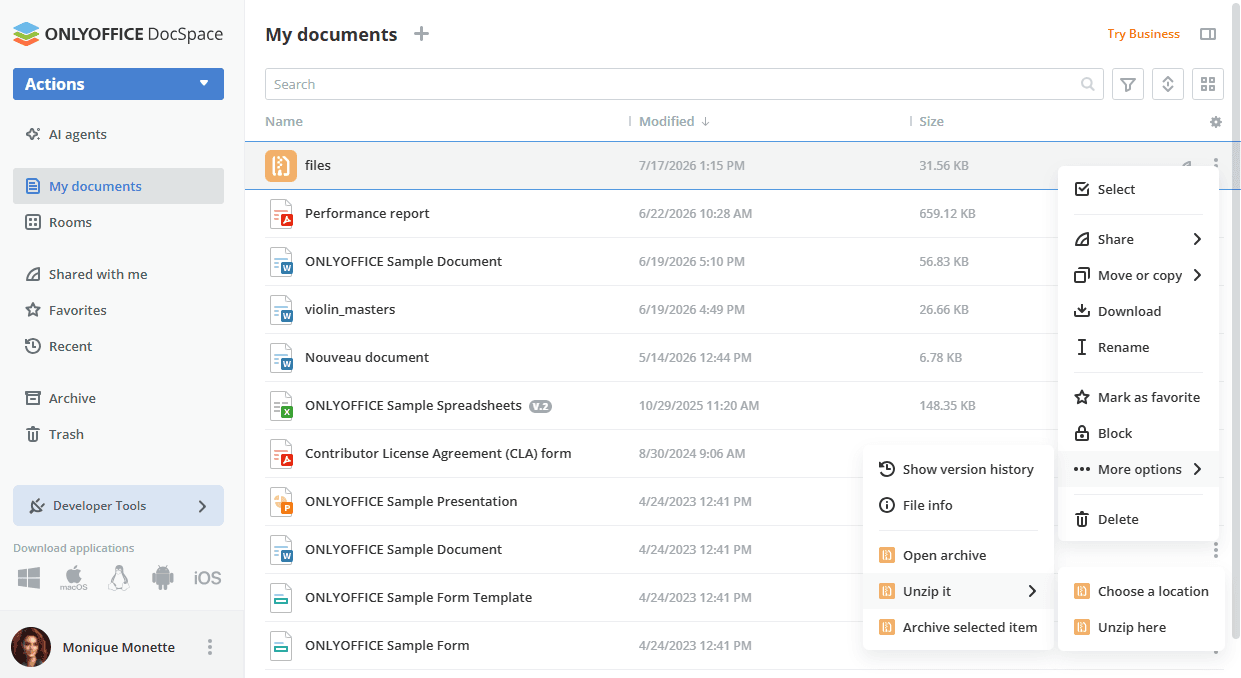
- The plugin is available via the context menu of archive files in the Documents section or in the selected room.
- Open the context menu of the archive file, navigate to More options, and select the necessary action:
- Open archive - view the contents of the archive without unzipping it. You can also extract specific files directly from the preview window.
- Unzip it -> Choose a location - select a specific location to extract the entire archive.
- Unzip it -> Unzip here - extract the archive directly into the current folder or room where it is stored.
Article with the tag:
Browse all tags