Change slide layout
To customize your presentation, you can change the slide layout for each separate slide. To change a slide layout:
- in the slide list on the left, tap the slide you want to apply a new layout to,
- open the slide settings panel by
- tapping the
 icon at the top toolbar, or
 - tapping the Edit option in the pop-up menu,
- tapping the
- tap the Layout menu item,
- select the necessary layout (swipe up to see more layouts),
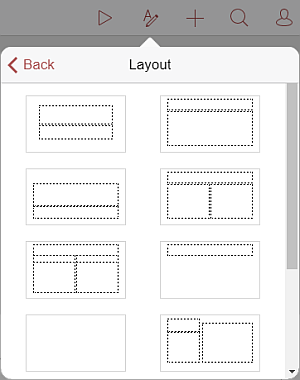
Note: currently, the following layouts are available: Title Slide, Title and Content, Section Header, Two Content, Comparison, Title Only, Blank, Content with Caption, Picture with Caption, Title and Vertical Text, Vertical Title and Text.
Article with the tag:
Browse all tags