Applying table styles
Apply table styles
To apply a table template to a selected cell range:
- Select the cells you want to format.
- Open the Cell settings panel by
- tapping the
 icon at the top or bottom toolbar, or
 - tapping the Cell option in the pop-up menu.
- tapping the
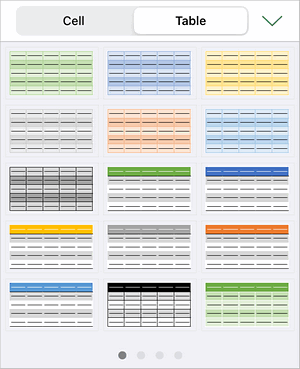
- Switch to the Table tab.
- Swipe left or right to see all the palettes and tap the template you want to apply.
- Close the settings panel by tapping the
 icon.
icon.
The template will be applied to your selected cells. A header row will be added at the top and your data will shift one row down. You can then edit the headers and use the filter to work with your data.
Article with the tag:
Browse all tags