• Home
  • How ONLYOFFICE handles Google user data

How ONLYOFFICE handles Google user data

Application

ONLYOFFICE portals interact with Google by making requests to the official Google API using the OAuth 2.0 authorization protocol. To work in accordance with this protocol, the ONLYOFFICE application (api-project-948651087073) was created in the Google API Console. The following services were connected to it: Google Drive API, People API, Contacts API.

Authorization keys with the redirect URL https://service.onlyoffice.com/oauth2.aspx were generated for the ONLYOFFICE application. When a user wants to sign in to ONLYOFFICE with Google, the authorization code is requested and the current user’s page address is transferred to the "state" parameter.

After redirection to the Google API, the https://service.onlyoffice.com/oauth2.aspx URL automatically redirects to the page specified in the "state" parameter. This is necessary due to the fact that all the addresses and domains the ONLYOFFICE application will use are not known in advance.

Handling Google user data within ONLYOFFICE portals

  1. Login

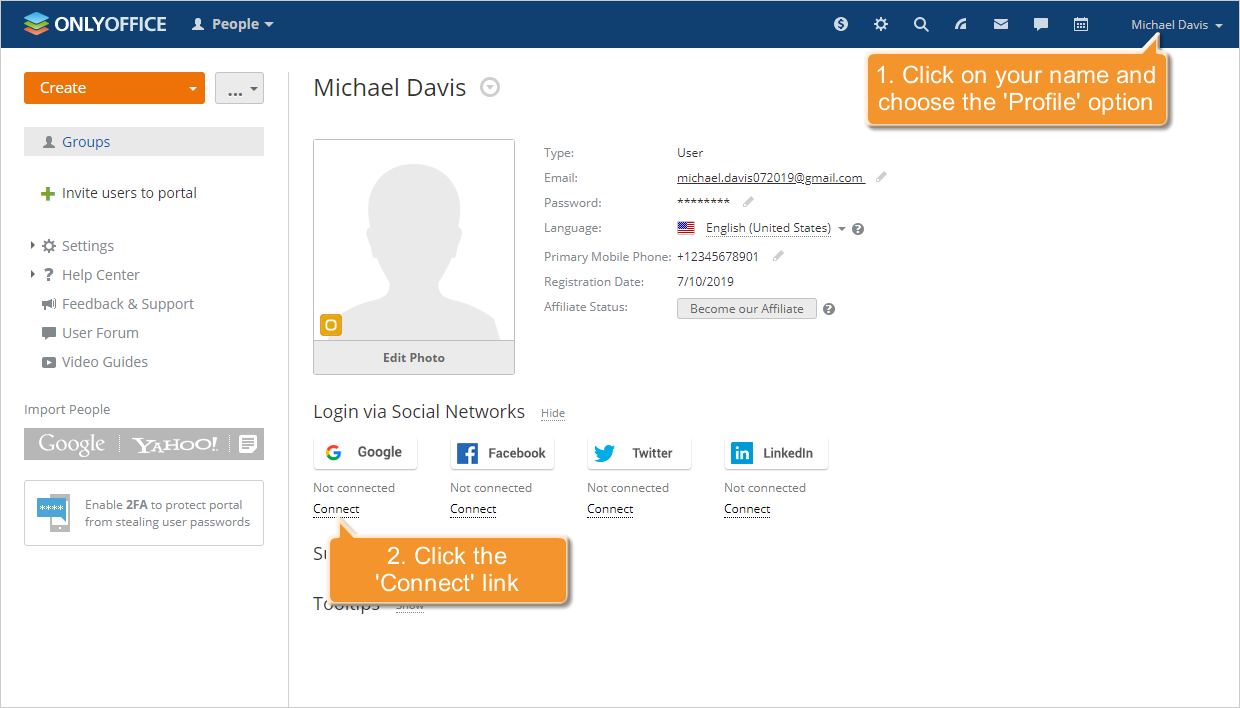
    1. For the authorization on the ONLYOFFICE portal under the existing user profile with Google, a correspondence is set between user’s Google and ONLYOFFICE accounts.

      On the ONLYOFFICE user profile page, there is a Login via Social Networks section with the corresponding Google button:

      How ONLYOFFICE handles Google user dataHow ONLYOFFICE handles Google user data

      When clicking this button, a Google page that provides ONLYOFFICE application with access to the data opens with the following scope:

      With the specified scope, ONLYOFFICE application can get access to:

      • see your personal info, including any personal info you've made publicly available,
      • view your email address.

      This action is performed using the people.get request. The ONLYOFFICE database stores the correspondence between the user identifier and email address in Google and the user profile identifier in ONLYOFFICE.

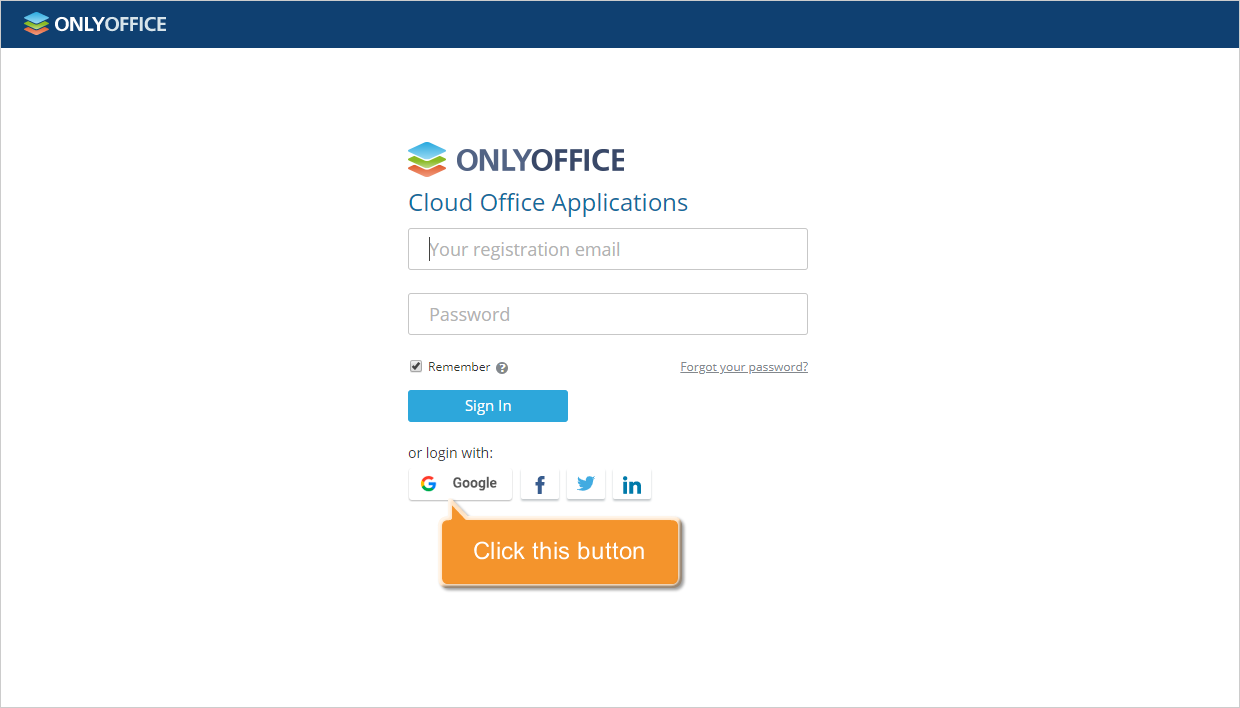
    2. On the authorization page of ONLYOFFICE portals, there is a corresponding button to sign in with Google:
      How ONLYOFFICE handles Google user dataHow ONLYOFFICE handles Google user data

      When clicking this button, a Google page that provides ONLYOFFICE application with access to the data opens with the following scope:

      With the specified scope, ONLYOFFICE application can get access to:

      • see your personal info, including any personal info you've made publicly available,
      • view your email address

      This action is performed using the people.get request. The ONLYOFFICE database is searching for the correspondence between the user identifier and email address in Google and the user profile identifier in ONLYOFFICE. If such a correspondence is found, authentication is performed under the appropriate ONLYOFFICE user profile.

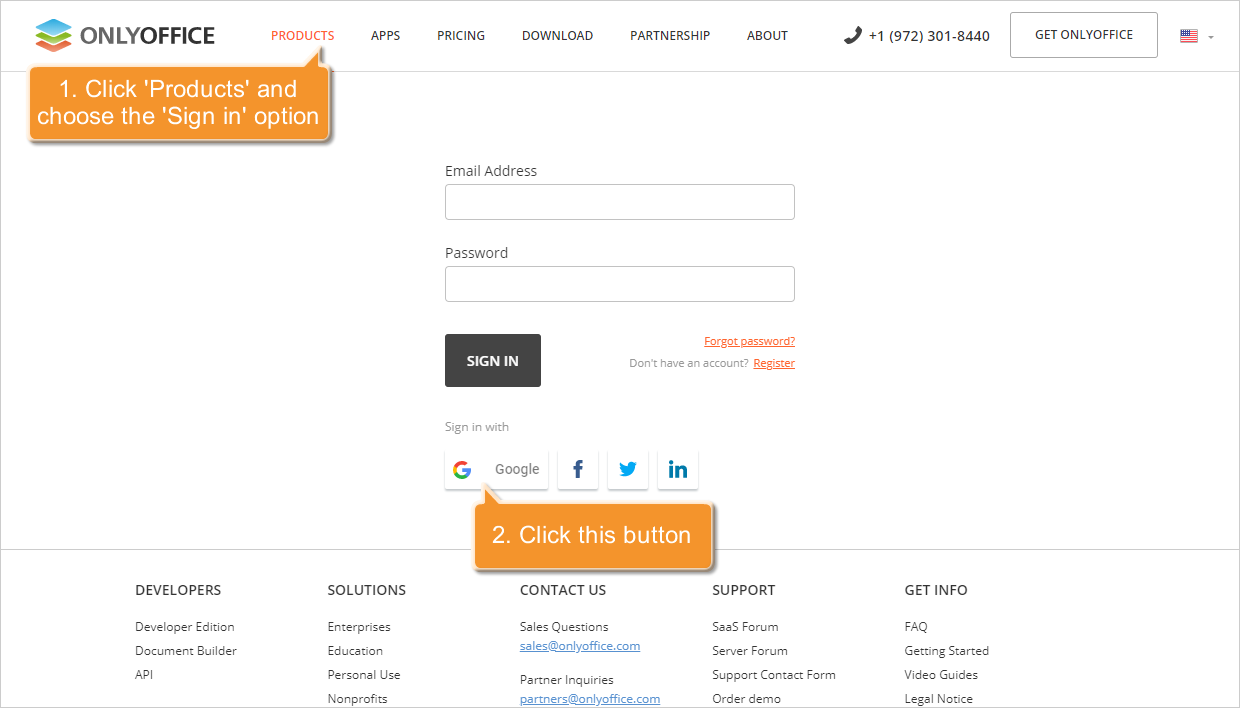
    3. On the sign in page on the ONLYOFFICE website, there is a corresponding button to sign in with Google:
      How ONLYOFFICE handles Google user dataHow ONLYOFFICE handles Google user data

      When clicking this button, a Google page that provides ONLYOFFICE application with access to the data opens with the following scope:

      With the specified scope, ONLYOFFICE application can get access to:

      • see your personal info, including any personal info you've made publicly available,
      • view your email address

      This action is performed using the people.get request. The ONLYOFFICE database is searching through all the portals for the correspondence between the user identifier and email address in Google and the user profile identifier in ONLYOFFICE. If such a correspondence is found, authentication is performed on the corresponding ONLYOFFICE portal under the corresponding ONLYOFFICE profile.

  2. User import

    You are able to add several user profiles at once to your ONLYOFFICE portal importing contacts from Google.

    Quick tip: learn how to do it in this article.

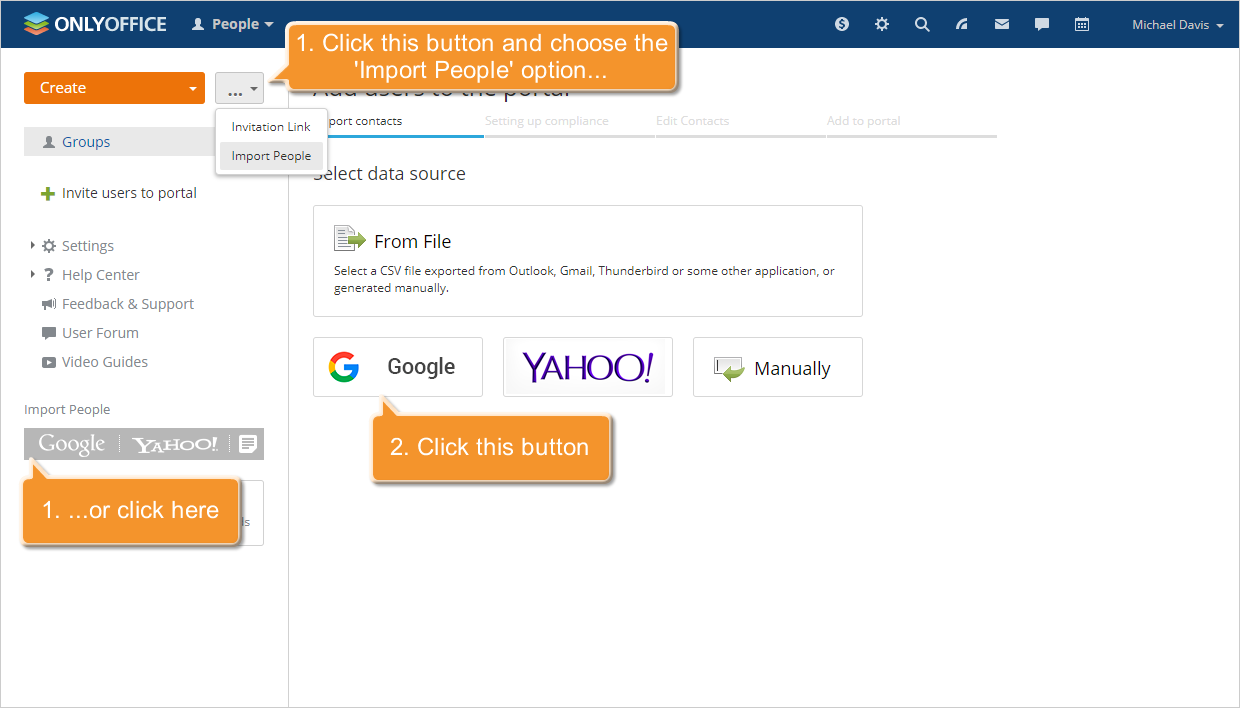
    In the People module, there is the Import People option with the corresponding button to select Google as a source you would like to use the contact information from:

    How ONLYOFFICE handles Google user dataHow ONLYOFFICE handles Google user data

    When clicking this button, a Google page that provides ONLYOFFICE application with access to the data opens with the following scope: https://www.googleapis.com/auth/contacts.readonly. With the specified scope, ONLYOFFICE application can get access to:

    • see and download your contacts.

    This action is performed using the Retrieving all contacts request. ONLYOFFICE creates new user profiles on the portal using names and email addresses of your Google contacts.

  3. Google Drive

    You are able to synchronize your Google Drive account with the Documents module to manage and edit your documents stored in Google Drive within ONLYOFFICE portals using ONLYOFFICE editors.

    Quick tip: learn how to do it in this article.

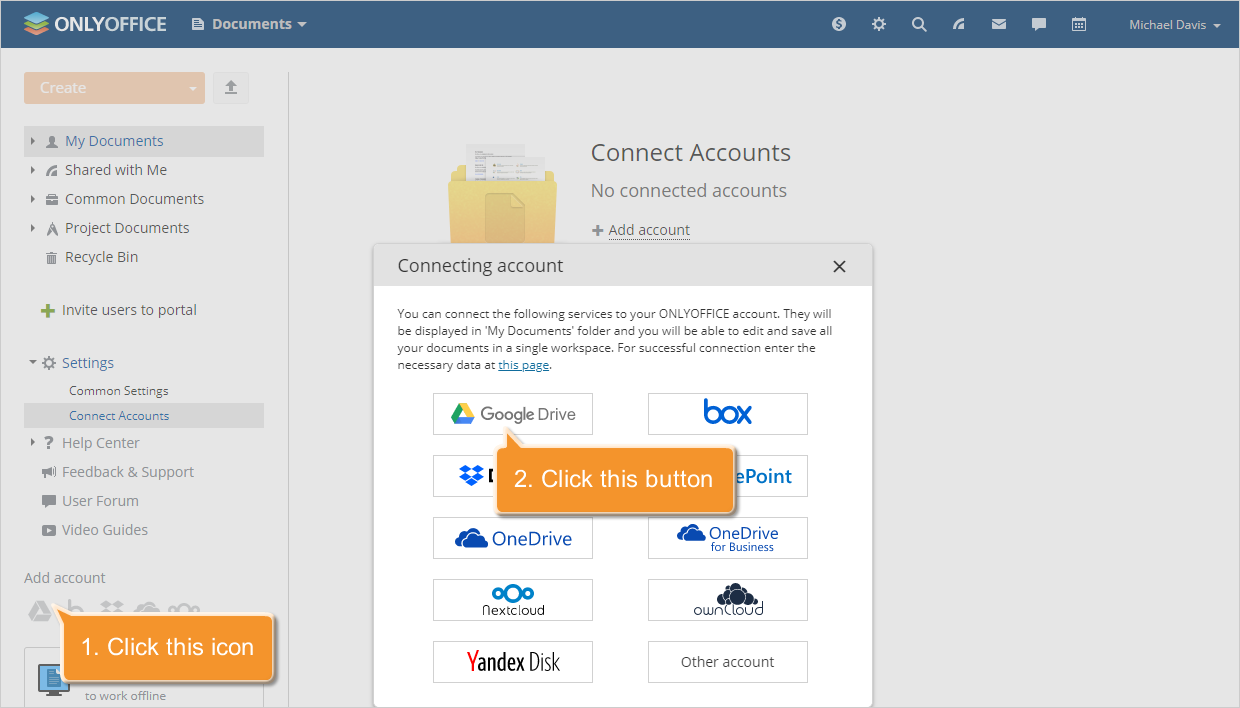
    In the Documents module, there is the Add account caption with the corresponding button to select Google Drive:

    How ONLYOFFICE handles Google user dataHow ONLYOFFICE handles Google user data

    When clicking this button, a Google page that provides ONLYOFFICE application with access to the data opens with the following scope: https://www.googleapis.com/auth/drive.

    With the specified scope, ONLYOFFICE application can get access to:

    • see, edit, create, and delete all of your Google Drive files.

    The ONLYOFFICE database stores only the received authorization key needed to perform further requests. Actions are performed via Google APIs Client Library.

    The following methods are used:

    • get the file list,
    • create a file,
    • delete a file,
    • update, rename and move a file,
    • copy a file,
    • get the maximum file size for uploading.

Privacy Policy

The following document discloses the manner in which ONLYOFFICE Application requests, uses, and stores your Google user data.

Open the Privacy Policy document

Watch video

How ONLYOFFICE handles Google user data

Sign in using your Google account, import users and more. Watch how ONLYOFFICE handes Google user data.

Host ONLYOFFICE Docs on your own server or use it in the cloud

Article with the tag:
Browse all tags