Integrating ONLYOFFICE with Telegram
Connect the Telegram service to receive portal notifications via Telegram.
Connecting Telegram to ONLYOFFICE
To connect Telegram to your portal:
- Click the
 icon in the upper-right corner to open Settings.
 - Select the Integration tab.
- Open the Third-Party Services page.
- Scroll down to Telegram and click the toggle to enable it.
- In the Telegram window that opens, enter the
tokenand botusernameobtained in the previous section.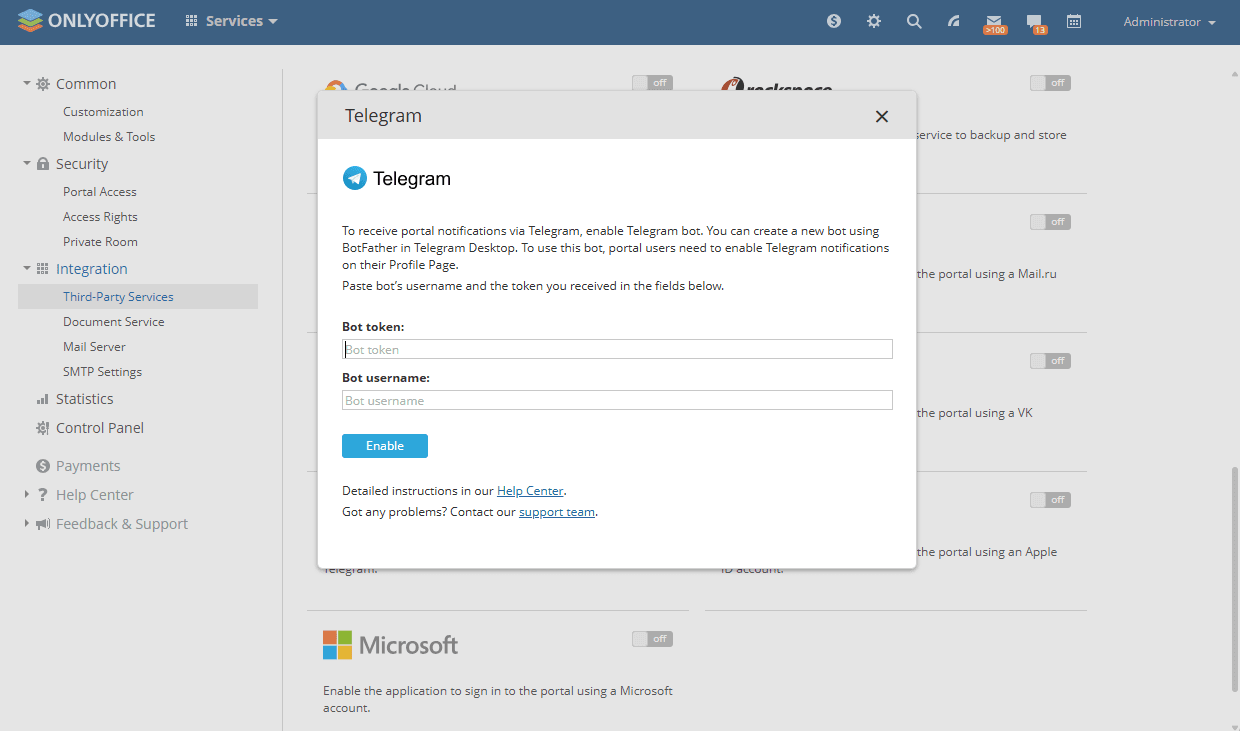
- Click Enable to connect the service.
Article with the tag:
Browse all tags