Collaborative presentation editing
View Comments
To view all comments that have been added to the presentation:
- tap the
 Collaboration icon in the right corner of the top toolbar,
- select the Comments menu item.
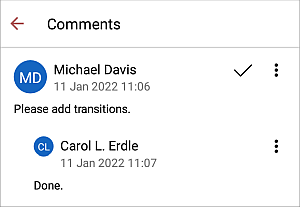
Here you can manage comments and replies in the following way:
- edit replies and comments by tapping the
 icon and selecting the Edit comment / Edit reply option,
- delete replies and comments by tapping the icon and selecting the Delete comment / Delete reply option,
- close the discussion by tapping the
 icon to the right of the comment. You can also tap the icon and select the Close option. After that the discussion you opened with your comment gets the resolved status. To open it again, tap the icon to the right of the comment or tap the icon and select the Reopen option.