この記事はAIによって翻訳されました
ビデオエンベッダー:ドキュメントに動画を挿入する
ONLYOFFICE Docsでは、ビデオエンベッダープラグインを使用して、中国のストリーミングプラットフォーム(Bilibili、QQ(Tencent Video)、Ixigua、Youku、iQiyi)から動画をワンクリックでドキュメントに挿入できます。
ONLYOFFICE Docs 8.2以降、エディターにはデフォルトでプラグインが含まれていません。プラグインはプラグインマネージャーを通じてインストールする必要があります。
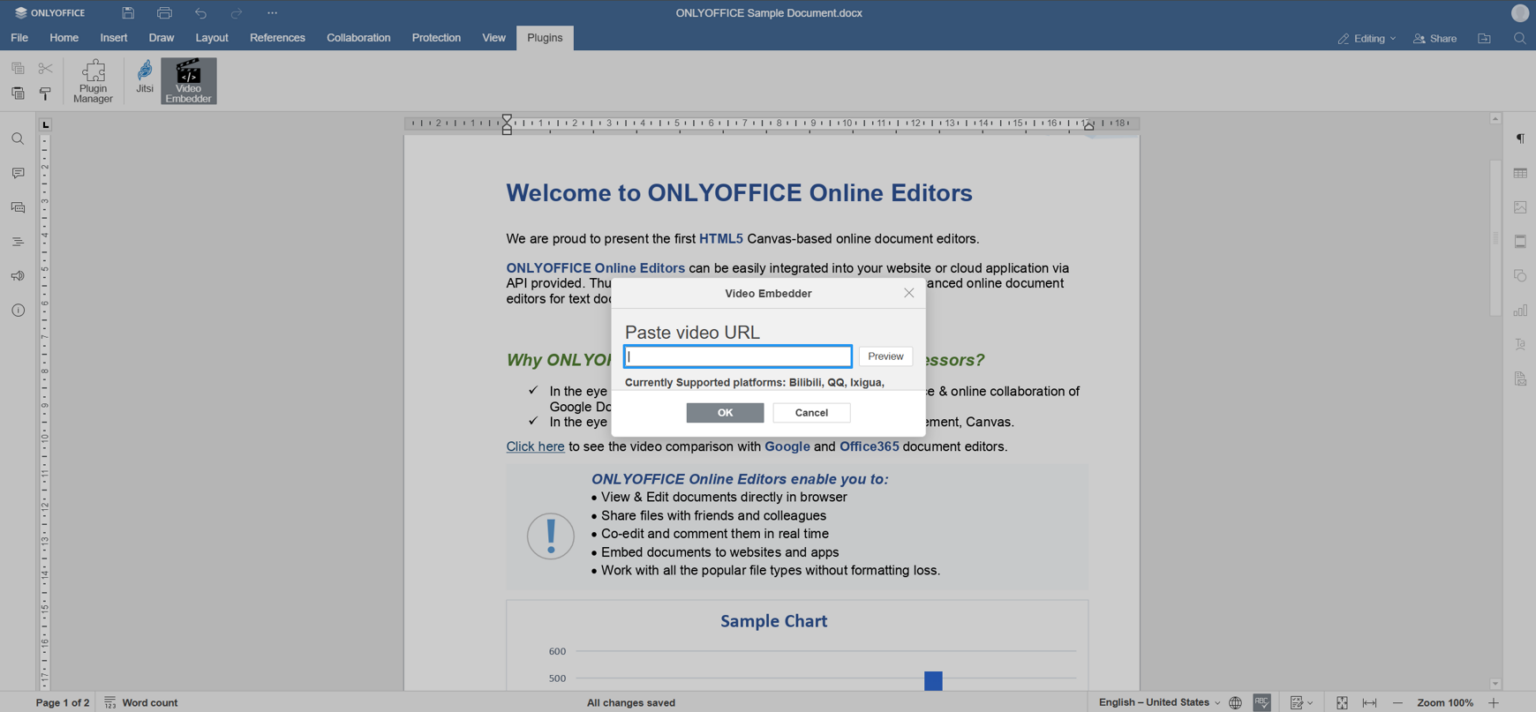
- プラグインタブに移動し、ビデオエンベッダーアイコンをクリックします。
- サポートされているプラットフォームのいずれかから目的の動画のURLをコピーします。
- プラグインの入力フィールドにURLを貼り付けます。
- プレビューボタンをクリックして動画を確認します。
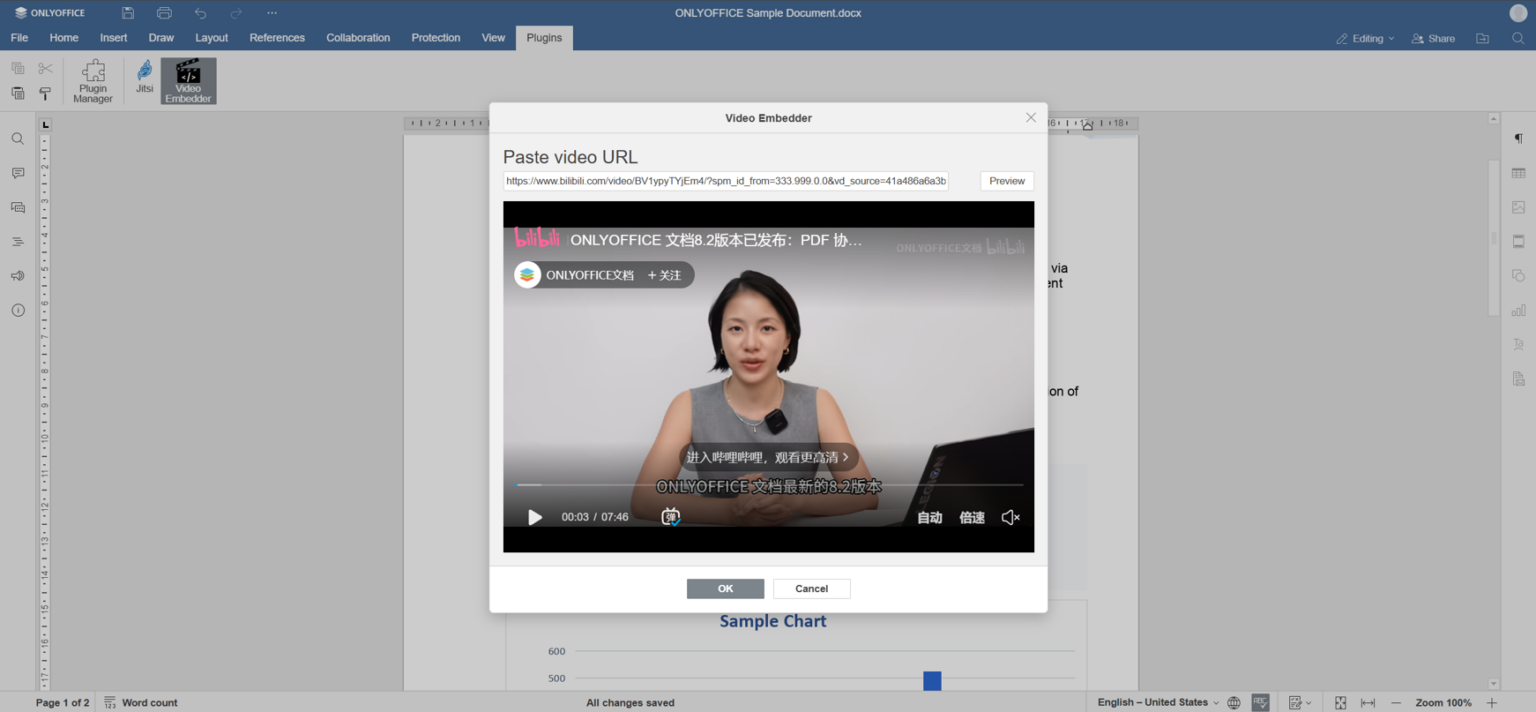
- プレビューが問題ない場合は、OKをクリックして動画を画像としてドキュメントに埋め込みます。
- 埋め込まれた画像をダブルクリックすると、ドキュメント内で直接動画を再生できます。
次の項目が含まれている記事:タグ:
すべてのタグを見る