この記事はAIによって翻訳されました
AIアシスタント:セットアップと構成
ONLYOFFICEは、ユーザーが独自のワークフローに合わせてAIツールをカスタマイズできるようにします。エディターのAIタブからすべてのAI機能に簡単にアクセスでき、異なるモデルの能力に基づいて特定のタスクを割り当てることができます。
セキュリティ上の理由から、デフォルトではAIはエディターに接続されていませんのでご注意ください。
ステップ1:セットアップ
- プラグインタブに移動し、プラグインマネージャーアイコンをクリックします。
- AIプラグインを見つけてインストールをクリックします。
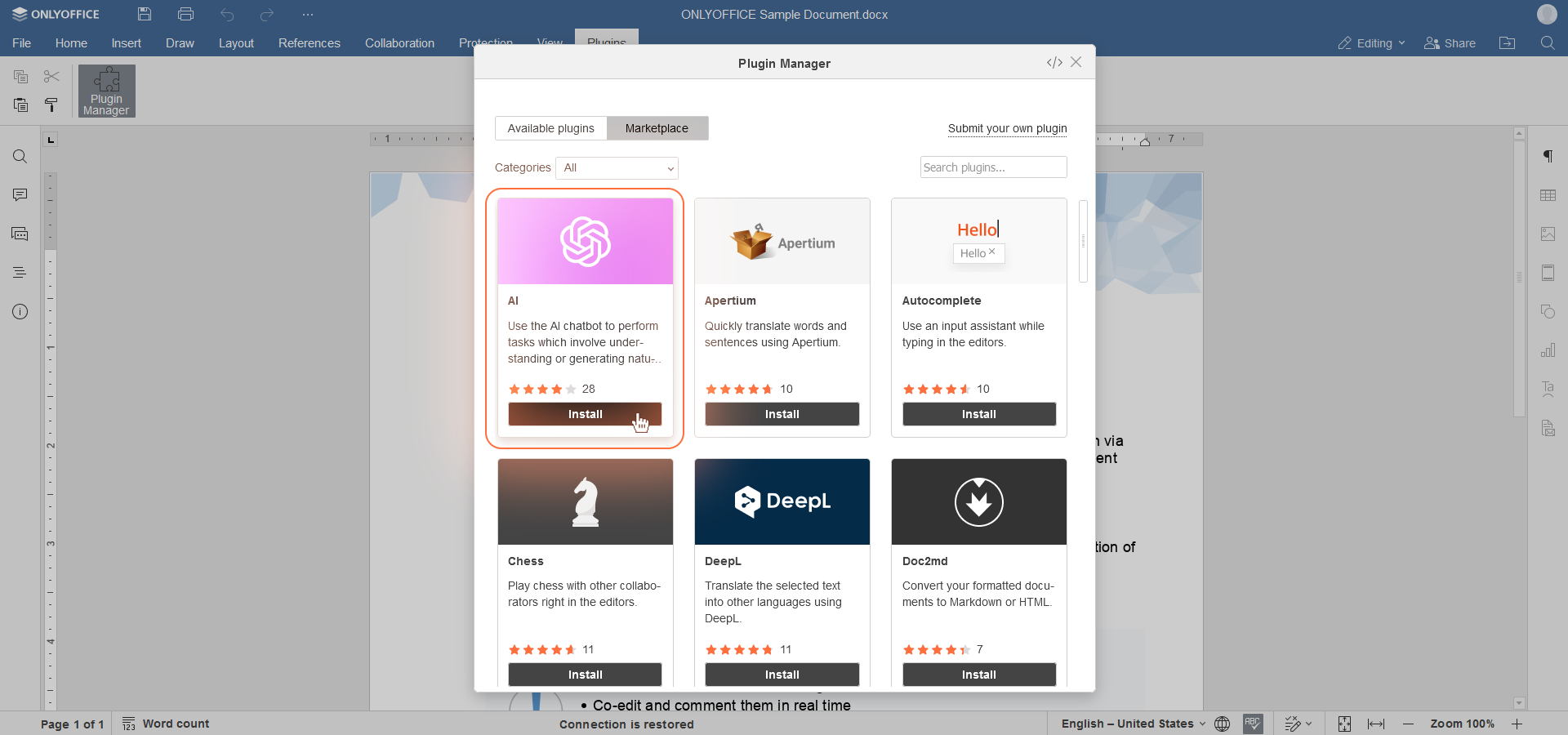
- インストールが完了したら、プラグインマネージャーを閉じます。必要に応じて、対応するボタンをクリックしてプラグインを更新してください。
- 同じプラグインタブでバックグラウンドプラグインボタンをクリックし、AIスイッチを有効にします。
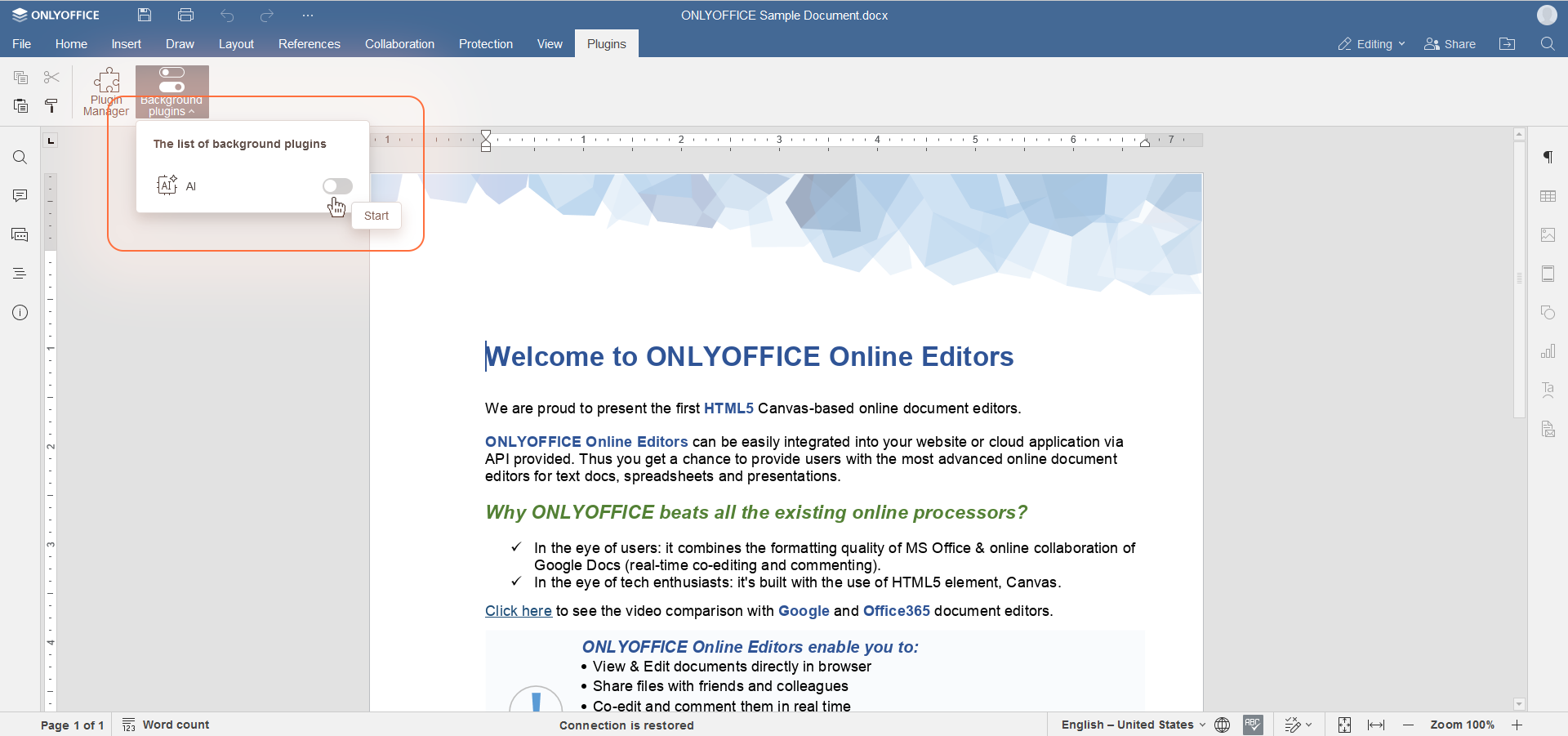
すでにChatGPTプラグインをインストールしている場合は、新しいAIプラグインを取得するためにプラグインマネージャーを介して再インストール/更新することをお勧めします。
ステップ2:構成
- AIタブに移動し、設定をクリックして構成ウィンドウを開きます。
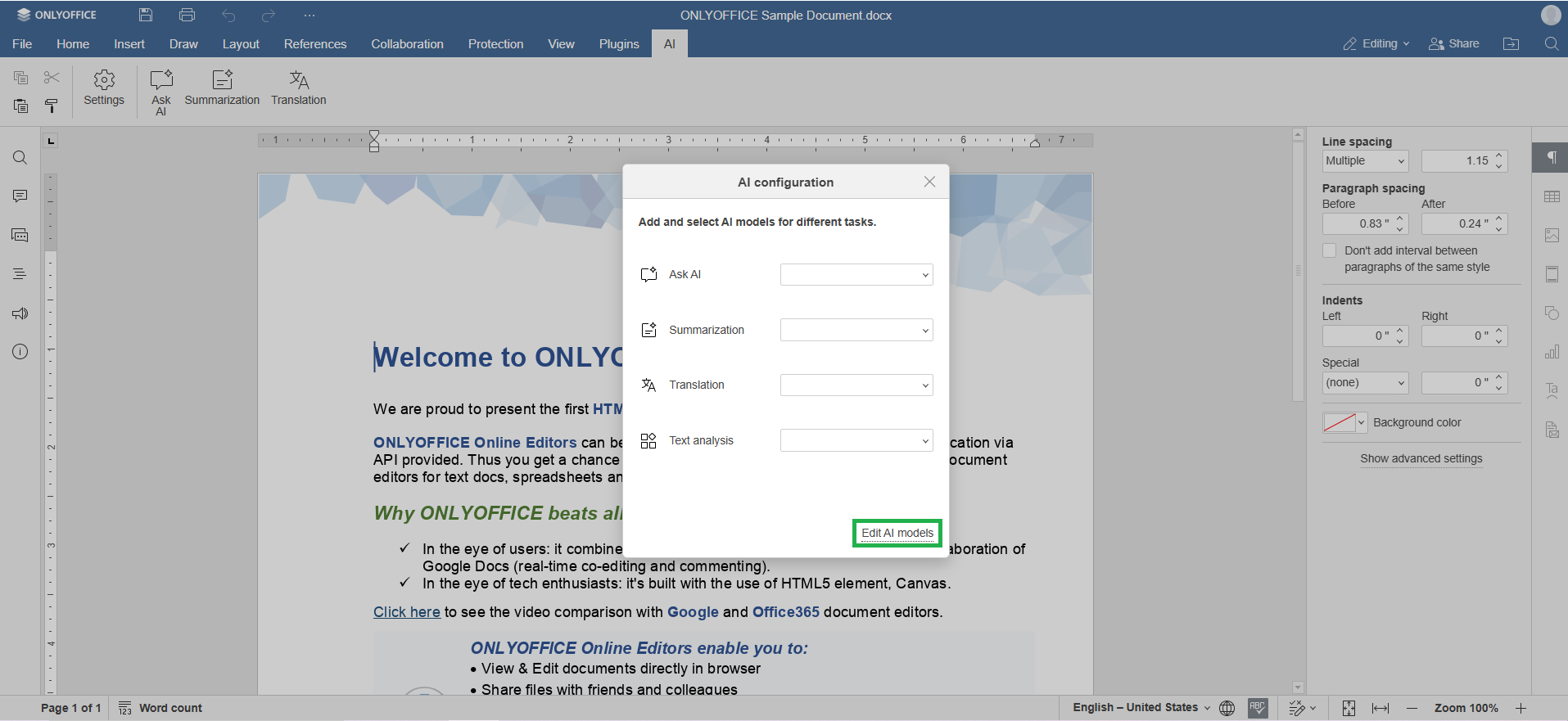
- AIモデルを編集を選択し、追加をクリックします。
- リストからAIプロバイダーを選択するか、APIキーを入力して新しいAIモデルを追加します。
- アイコンの行で、モデルが使用される用途を選択します:テキスト、画像、埋め込み、音声処理、コンテンツモデレーション、リアルタイムタスク、コーディングヘルプ、ビジュアル分析。
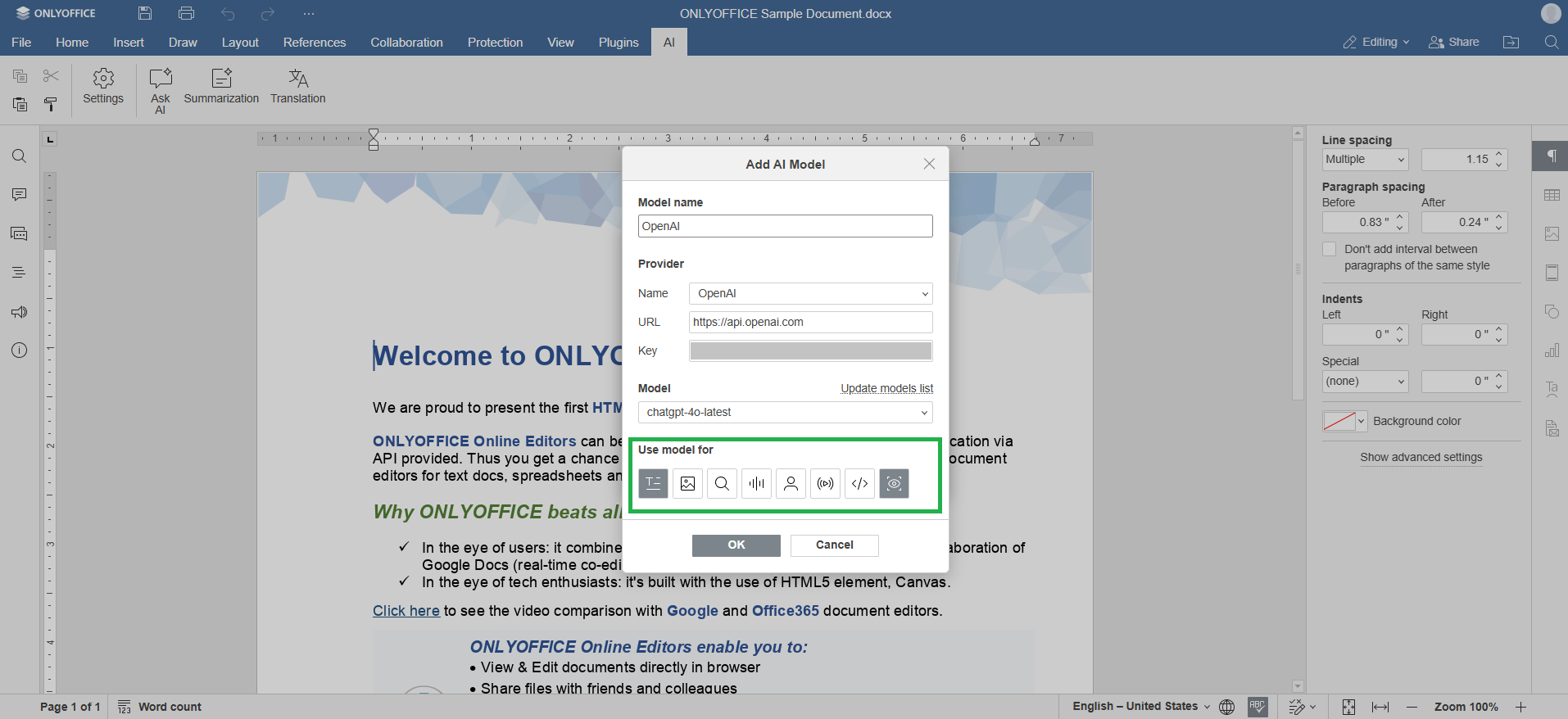
すべてのモデルがすべてのタスクをサポートしているわけではありません。選択したモデルが割り当てられたタスクをサポートしていない場合、エラーが発生する可能性があります。アイコン設定を変更しないことを強くお勧めします。
- OKをクリックして設定を保存し、接続プロセスを完了します。
AIアシスタントが接続されたので、そのパラメータを設定します:
- AIタブに移動します。
- 設定メニューを開きます。
- AIモデルをタスクに割り当てます。例えば、AIに質問したり、要約したり、翻訳したり、テキスト分析を行ったりします。複数のモデルを接続している場合、各タスクに別々のモデルを選択できます。
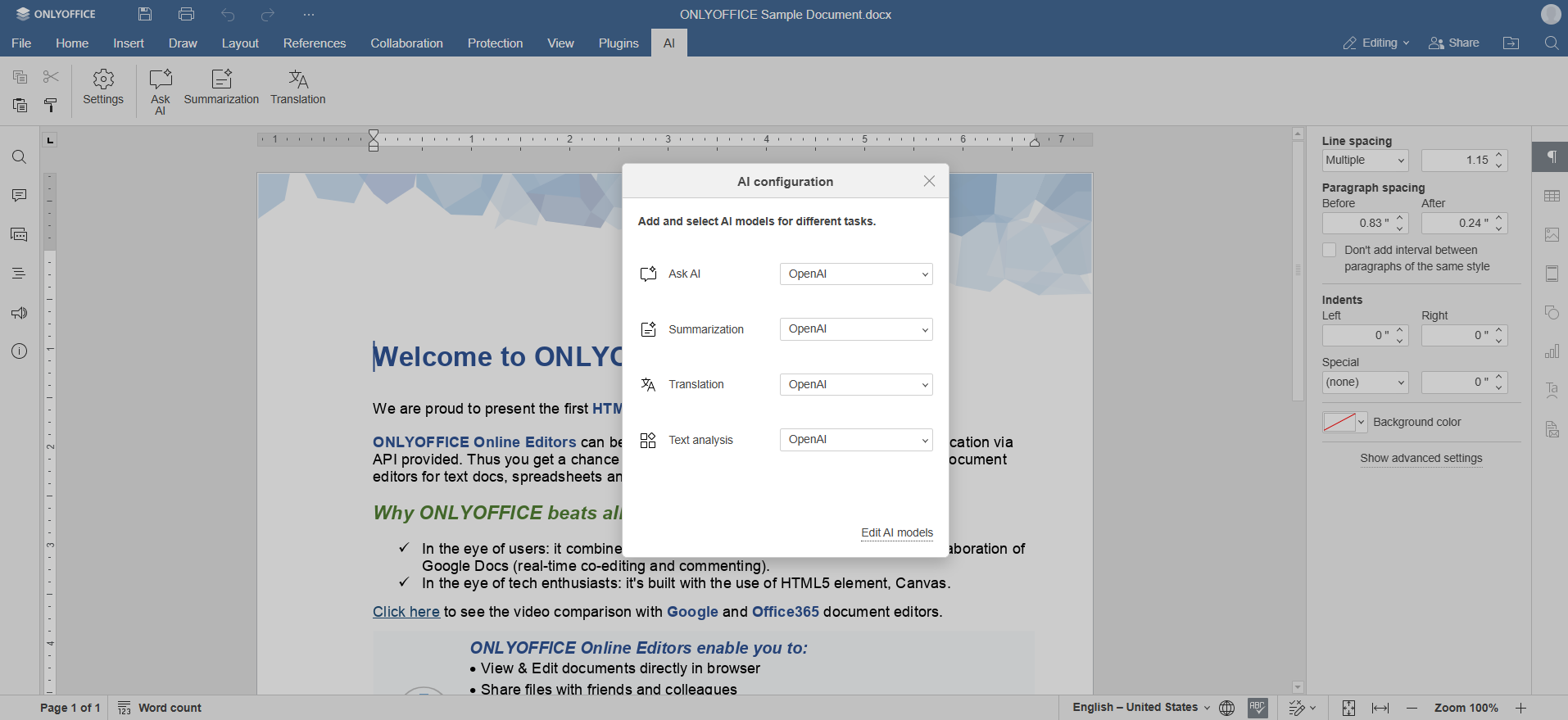
- AIタブから対応するオプションを選択してAIを使用し始めます。
マクロ作業時のAIの使用
警告 コードは選択したAIサービスによって処理されます。データ漏洩や予期しないコードの変更が発生する可能性があります。ONLYOFFICEは、エラーや不備を含む可能性のある完了、および嫌がらせや不適切な内容に対して責任を負いません。完了に含まれる情報は、ユーザーが選択したAIサービスによって生成され、「現状のまま」提供され、ONLYOFFICEによる追加のフィルタリングは行われません。
マクロ作業時にAIは役立ちます。機能にアクセスするには:
- 表示タブに移動し、上部ツールバーのマクロボタンをクリックします。マクロウィンドウが開きます。
- ウィンドウの左上隅にあるAIボタンをクリックします:
- 説明から作成 - マクロの説明を入力すると、AIアシスタントが対応するマクロを生成します。
- VBAから変換 - VBAからマクロを変換ウィンドウにVBAコードを貼り付けると、対応するマクロが作成されます。
AIアシスタントをまだ構成していない場合、構成するように求められます。このガイドのステップ1と2に従って構成してください。
マクロについて詳しく知るには、APIドキュメントをご参照ください。
次の項目が含まれている記事:タグ:
すべてのタグを見る