PDF-converter: Converting files to PDF
ONLYOFFICE Apps provides you with a pdf-converter plugin that can convert documents, spreadsheets, and presentations to PDF.
Configuring pdf-converter
System plugins are enabled in the workspace settings by the owner and administrators. Once enabled, they are available to all users across the apps that support them.
- Go to Settings -> Integration -> Plugins.
- Click the switcher next to the pdf-converter plugin to activate it.
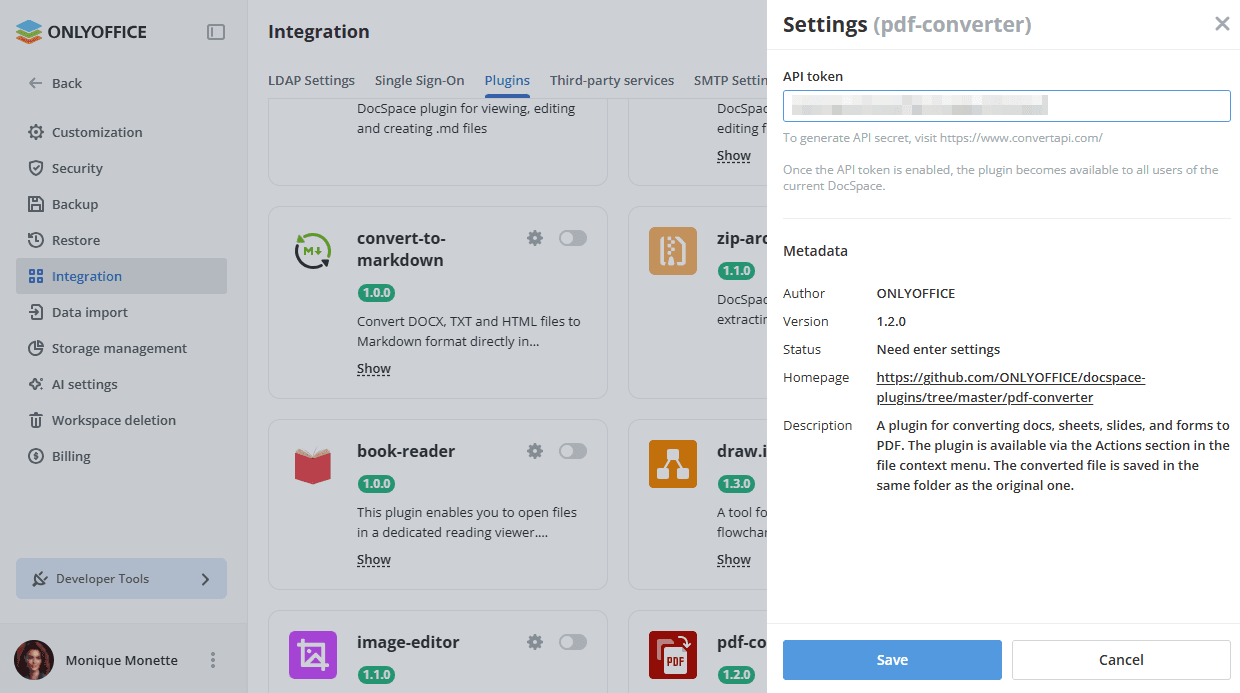
To start working with the plugin, it is necessary to enter the API token, which you can generate on www.convertapi.com. Once you have it, perform the following actions:
- Go to Settings -> Integration -> Plugins.
- Click the gear icon next to the pdf-converter plugin.
- Enter the API token.
- Click Save to apply the settings.
Using pdf-converter
- The plugin is available via the context menu of documents, spreadsheets, and presentations in the Files or Rooms app.
- Click the Convert to PDF action to start the plugin. A pop-up window appears where you can change/enter the file name.
The converted file is saved in the same folder as the original one.