WordPress: Writing articles
You can write your articles in your ONLYOFFICE Editors' environment and upload them as a WordPress-article.
note
Starting with ONLYOFFICE Docs 8.2, no plugins come with the editors by default. The plugins shall be installed via Plugin Manager.
Connect to WordPress
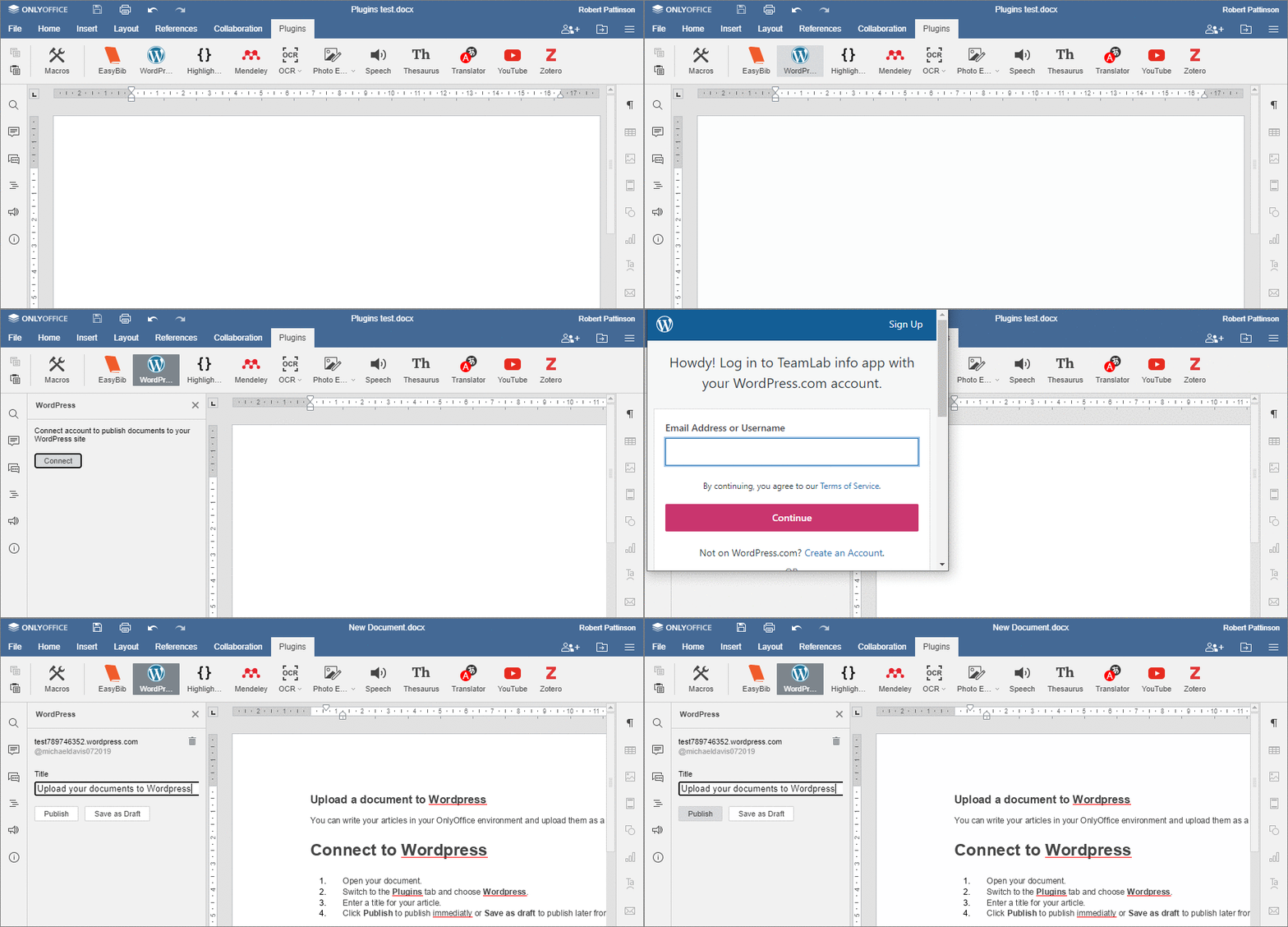
- Open your document.
- Switch to the Plugins tab and choose
 WordPress.
- Log in into your WordPress account and choose the website page you want to post your document on.
- Enter a title for your article.
- Click Publish to publish immediately or Save as Draft to publish later from your WordPress site or app.